Install the App
The Ark is a progressive web application, meaning you can install it on your device. To make this as easy as possible, The Ark can be installed from the browser:
On Your Smartphone
Android (Chrome)
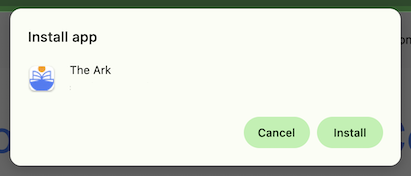
When you browse The Ark on Android (Chrome), you may see an “Install app” prompt at the bottom of the screen (or an Install option in the browser menu). Tap it to start the installation process. You’ll be asked to confirm, and once installed you’ll see The Ark as an app icon on your phone.
Tip: If you don’t see the prompt, tap the ⋮ menu in Chrome and choose Install app (or Add to Home screen).
iPhone (Safari and Chrome)
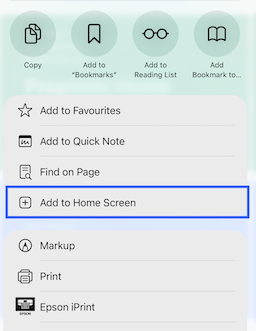
On iPhone, iOS does not show an automatic install banner. To install The Ark:
- Open The Ark in Safari or Chrome
- Tap the Share button (square with an arrow)
- Tap Add to Home Screen
- Tap Add

On Your Desktop
In your browser search bar, just look for this icon:

Clicking the icon will start the process, you’ll just need to confirm you want to install it.