Post Your Preprint
It’s easy to post your preprint on The Ark - you can either create a new preprint from scratch on the platform, or you can import a preprint if you’ve already posted it to another preprint server.
- When you’re logged in, you can click the Post a Preprint button in the top navigation bar

- Next, you’ll have the option to create a new preprint, or import a preprint from another server
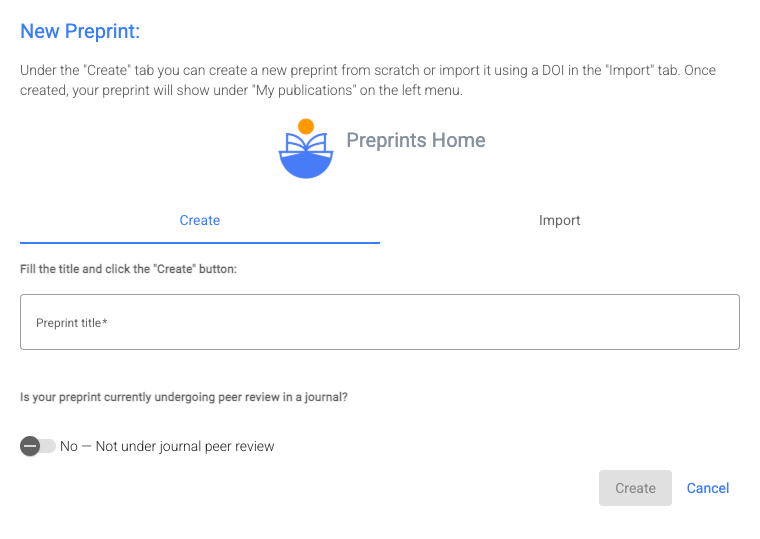
If creating a new preprint, enter the title. You are also asked to declare whether or not the preprint is currently undergoing peer review in a journal - this is important, as one of the aims of The Ark is to reduce duplication of effort in the peer review process, so if researchers are already engaged in reviewing your article, we want to let Ark users know so they can make a decision as to what level of feedback they might provide.
Note: new preprints are initially posted to Preprints Home, the main repository on The Ark. If you want to receive feedback from a specific community, you can make that request later in the process.
- You’ll be asked to complete some article metadata fields, including abstract, keywords, adding authors and their CRediT roles; and the finally you’ll be asked to upload the full text document (PDF or DOCX are preferred).
- Then just click the Post Preprint button:

- You’ll see the following confirmation message, which also provides a link to request review from a specific community:
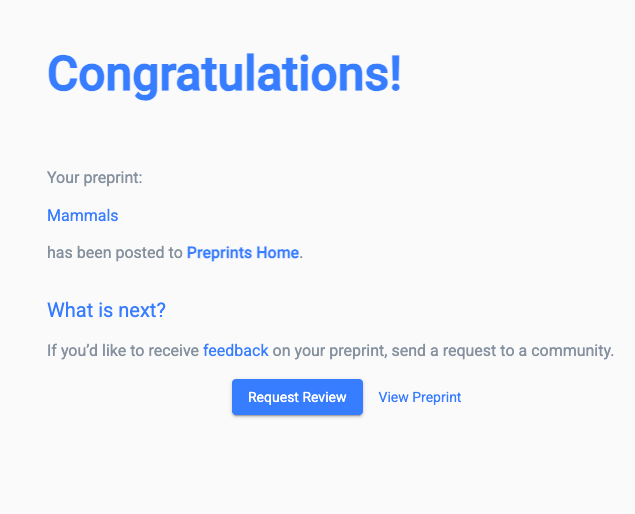
- If you want to request review straight away, click the Request Review button. This will open a modal, which allows you to select any community of which you are already a member to send your preprint to. Select the right community and click the Request button:
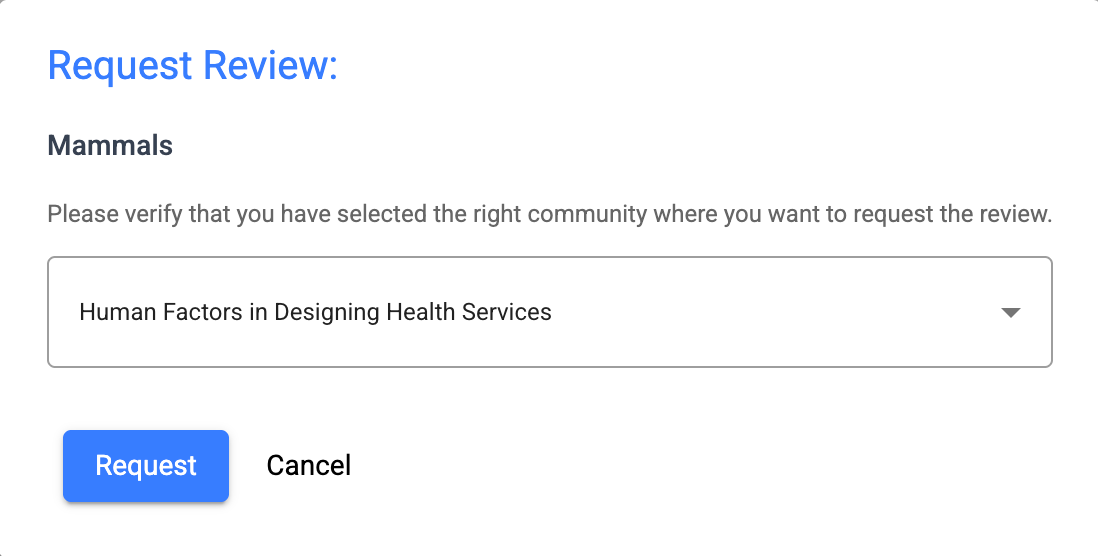
Note: if you haven’t yet decided which community you want feedback from, or you haven’t joined, don’t worry; take your time to explore the communities in The Ark, join the one you want feedback from…:

… and then click “Request Review” on the community homepage

Once you’ve submitted your request for feedback, your preprint will move into the community and be highlighted to the other members. You can sit back and wait for feedback, or you can proactively invite feedback from researchers in your field.
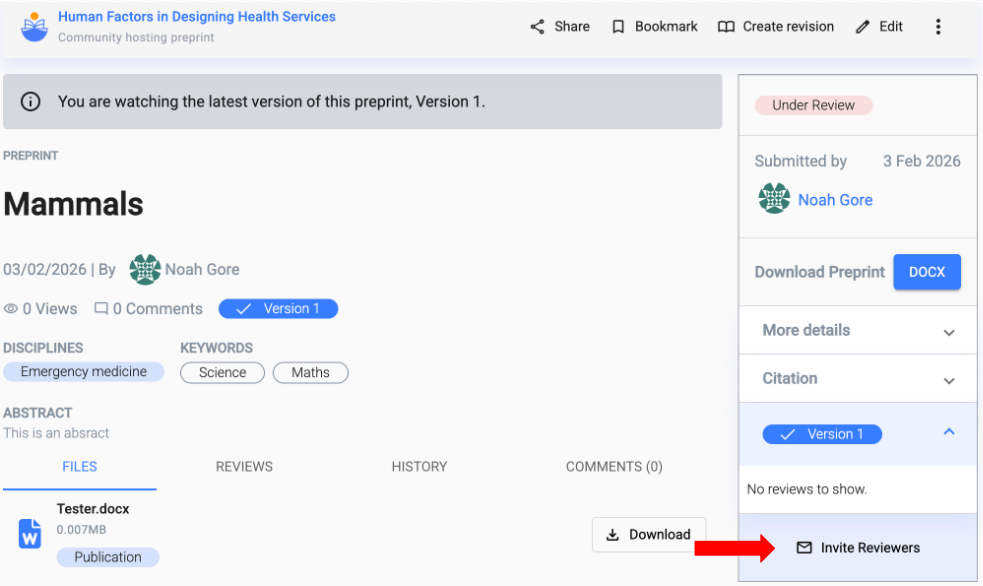
Community Moderators will also be made aware of your submission, and will be able to invite feedback from specific community members.